English

شبكتك الخاصة الشخصية — لا يشاركك فيها أحد

Step-by-step guide to connecting with OpenVPN Connect using the server access URL. The address is always stospn.com and you sign in with your STOSPN username and password. Easier still: use the تطبيق STOSPN DPN.
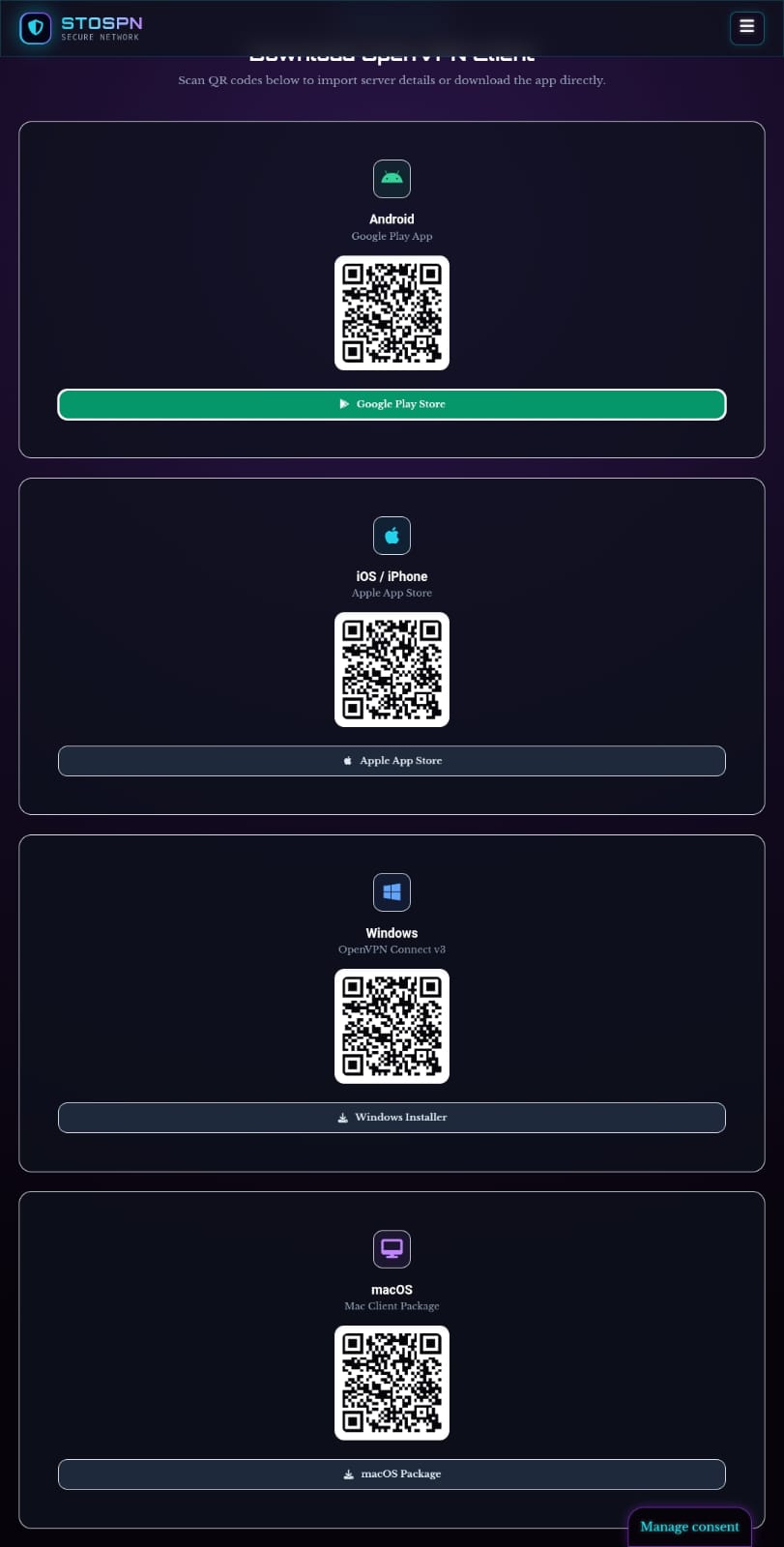
STOSPN page with QR codes to download OpenVPN Connect for each platform
Find OpenVPN Connect in your app store
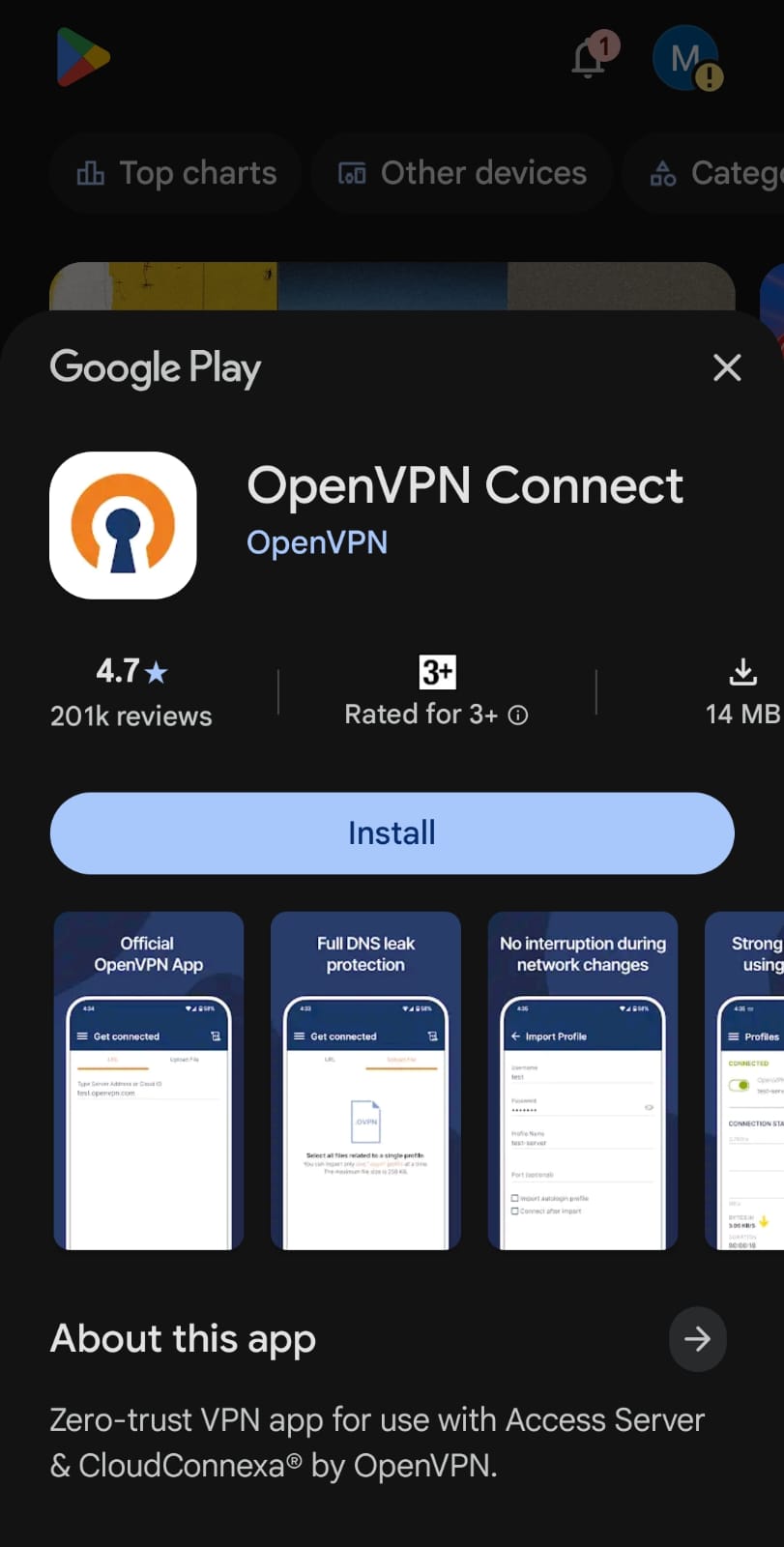
OpenVPN Connect app page in Google Play with the Install button
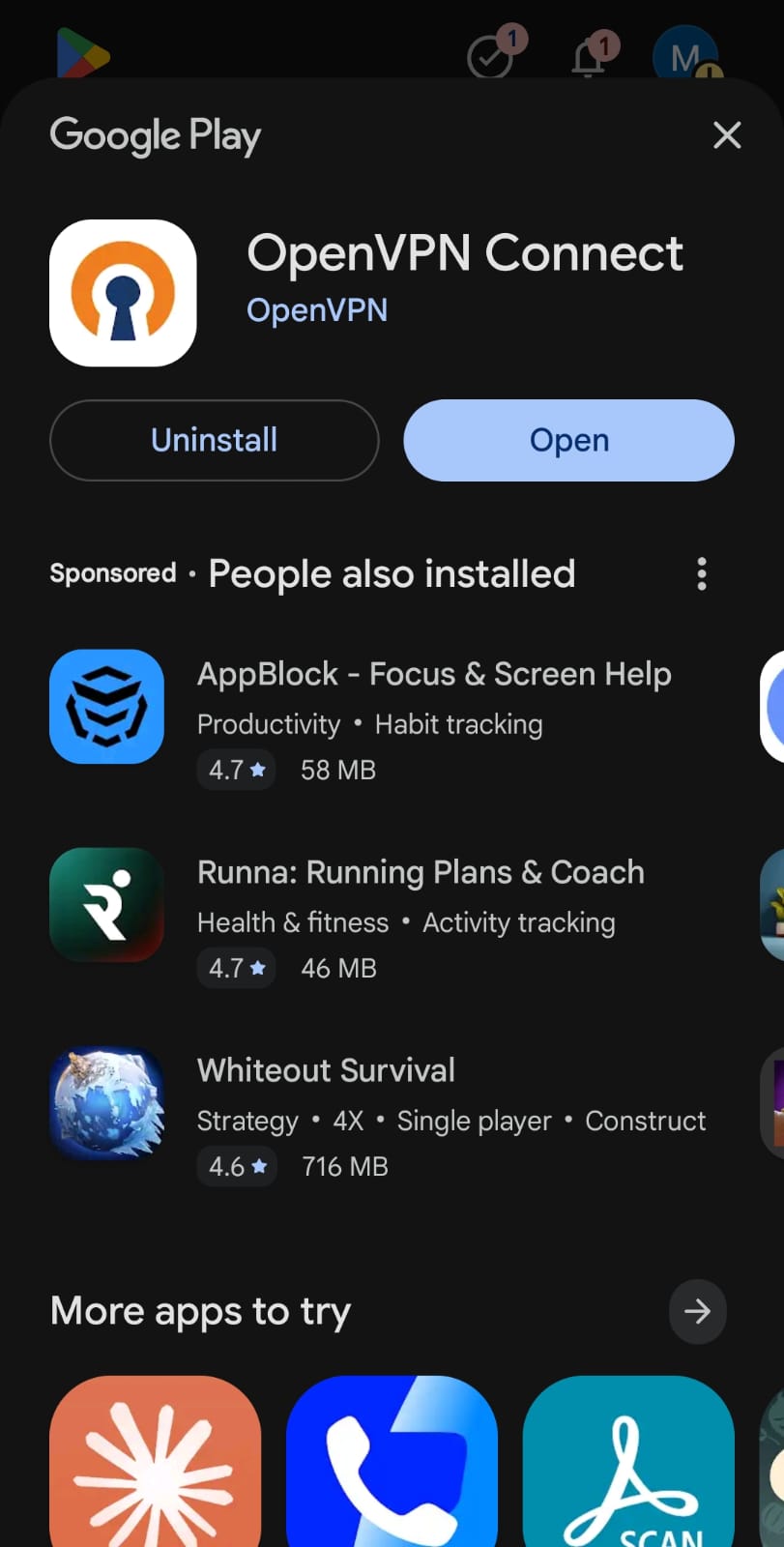
ثبّت OpenVPN Connect
OpenVPN Connect installed in Google Play with the Open button
Open application after installation
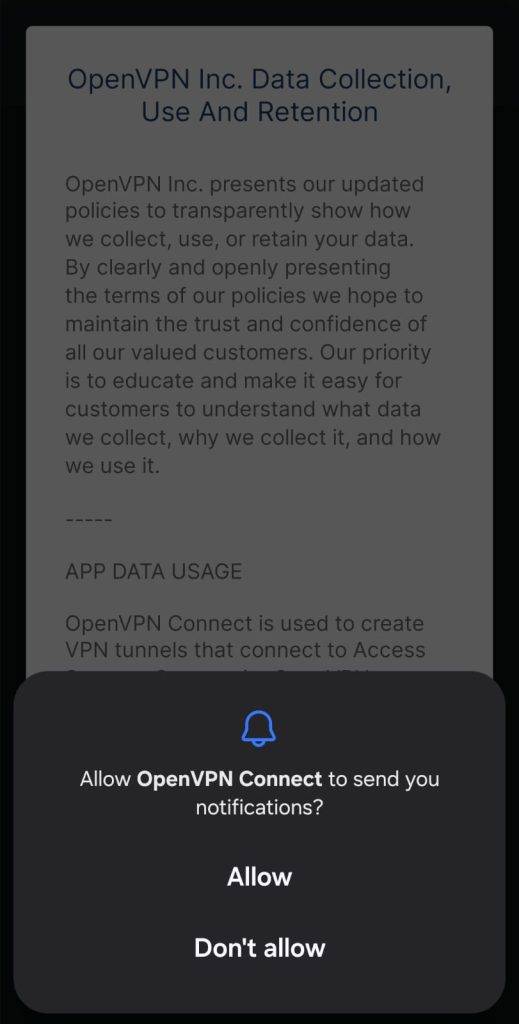
Android asking to allow notifications from OpenVPN Connect
Allow Notifications
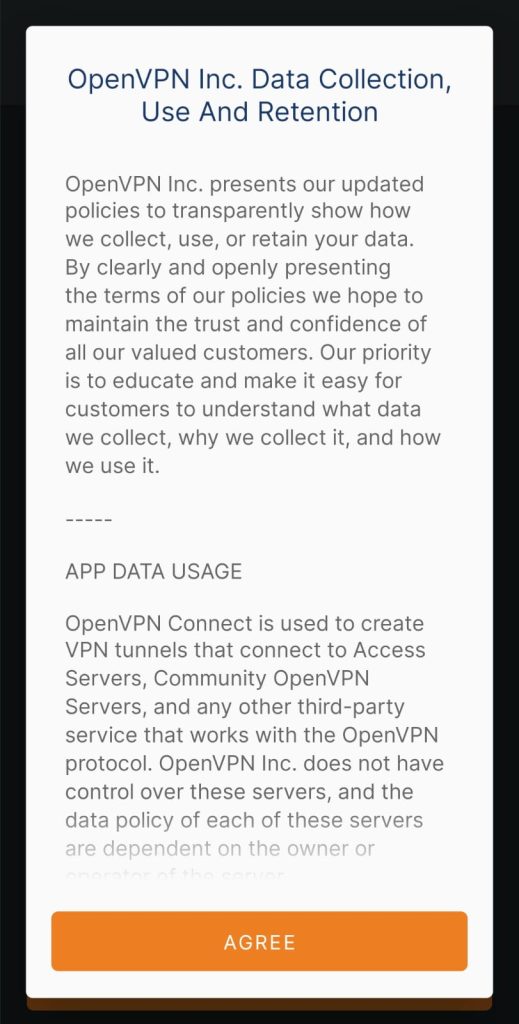
OpenVPN Connect data collection policy screen with the Agree button
Accept OpenVPN Policy
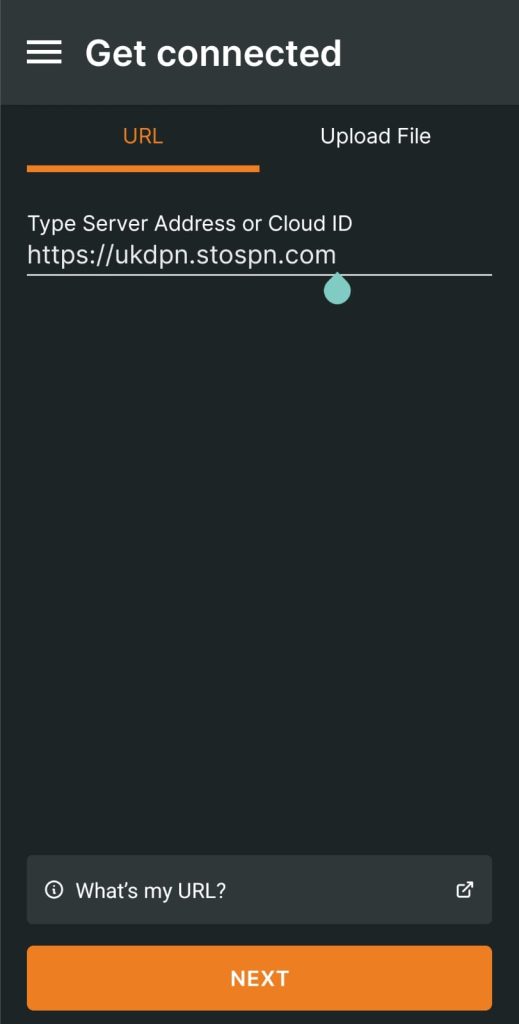
OpenVPN Connect Get connected screen with a STOSPN server URL entered
Enter stospn.com as the server URL
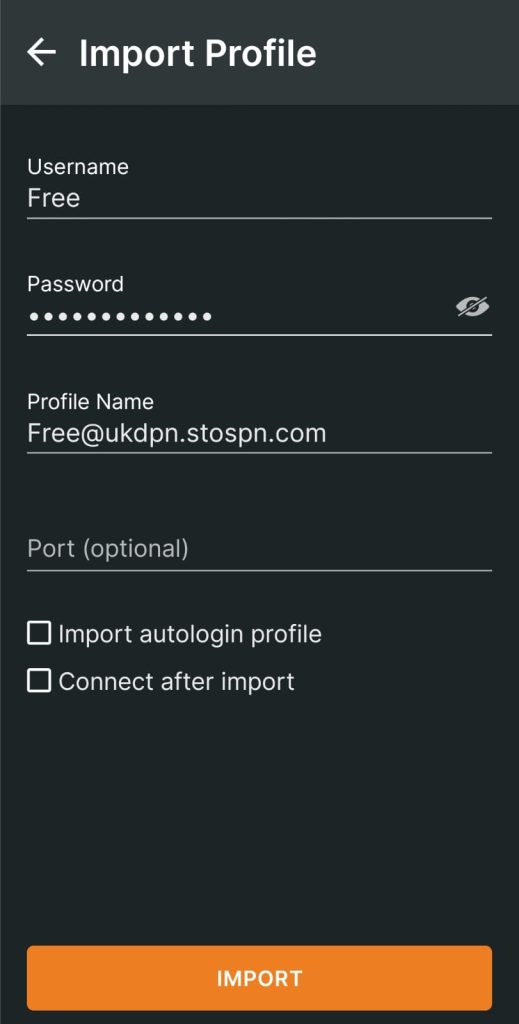
OpenVPN Connect Import Profile screen with STOSPN username and password
Enter your STOSPN username and password. Tick both “Import autologin profile” and “Connect after import”
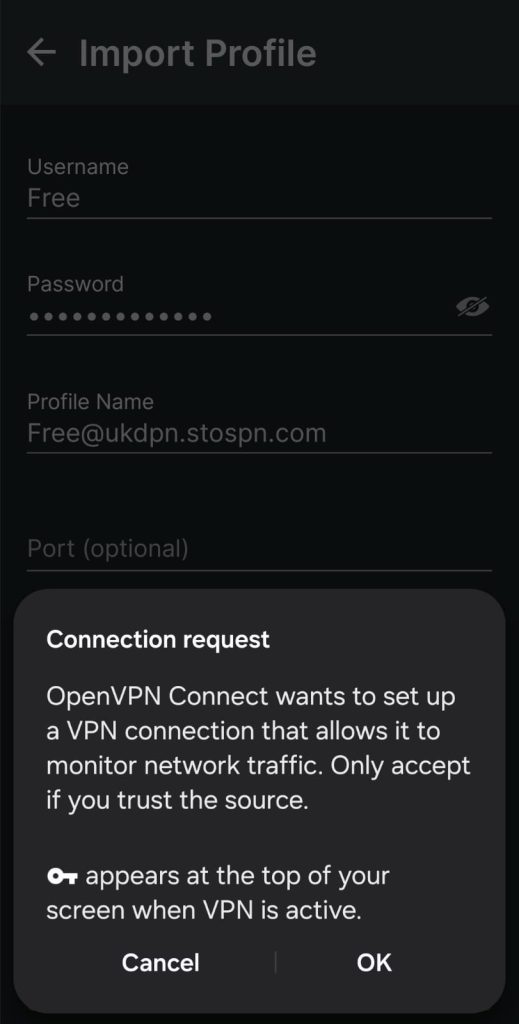
Android connection request asking to allow OpenVPN Connect to set up a VPN
Select OK to create a secure private dedicated tunnel
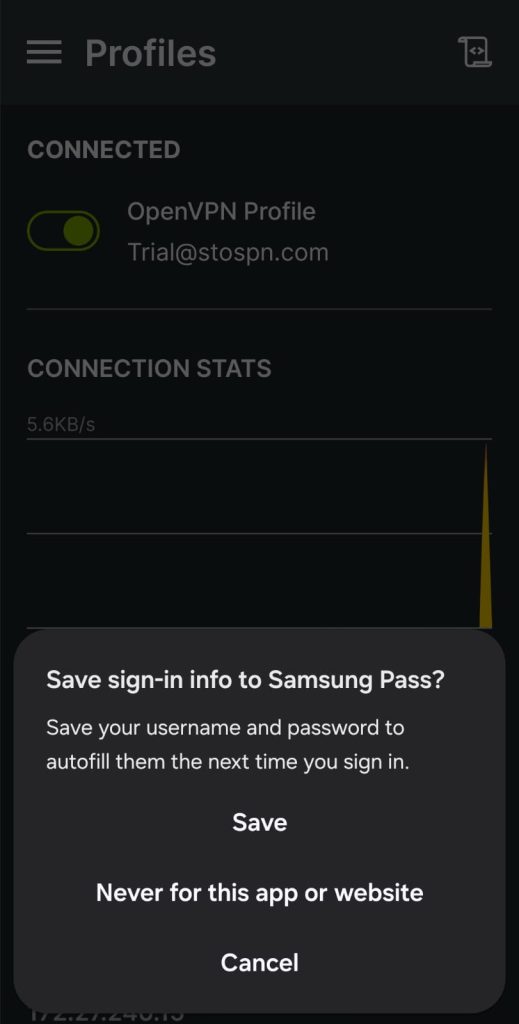
Android prompt asking to save the sign-in info for OpenVPN Connect
Select Save for future logins
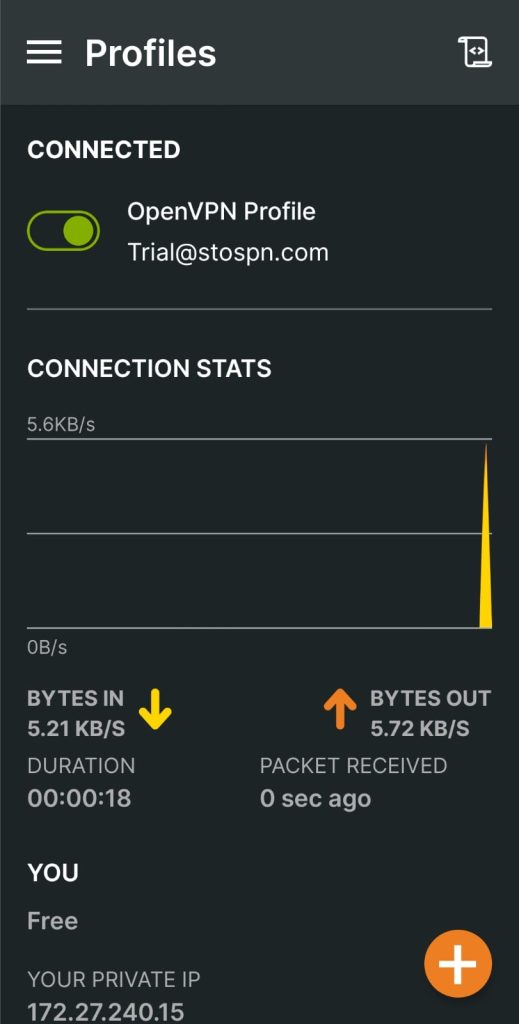
OpenVPN Connect on Android showing the STOSPN trial profile connected
You're connected! Enjoy freedom and privacy
للأعلى